Terminals, departments & nodes
What it is
Inside a business unit, work is organised as a strict hierarchy: a terminal (a physical port or site) contains departments, a department contains nodes (the concrete places work happens, such as a berth, yard, or gate), and a department also contains pools of workers. Each node is classified by a shared node type.
Why it exists
To plan labour, the system needs to know where work happens and how the workplace is structured. The hierarchy gives every demand, assignment, and roster a precise location — this terminal, this department, this node — and lets rules and reports roll results up and down that structure.
Key concepts & terms
- Terminal — a physical port or site within a business unit.
- Department — a grouping of work inside a terminal.
- Node — the smallest unit work is planned against (a berth, yard, gate, and so on).
- Node type — a shared taxonomy that classifies nodes (the same set is used across the whole system).
- Pool — a department-scoped group of workers used by allocation; pools can lend staff to each other (see Pools & cross-pooling).
- Code — every terminal/department/node/pool has a short code, unique within its business unit.
How it works
The structure is one of strict containment:
graph TD
  BU["Business unit (tenant root)"] --> T["Terminal (physical site)"]
  T --> D["Department"]
  D --> N["Node (berth / yard / gate)"]
  D --> P["Pool (group of workers)"]
  NT["Node type (shared taxonomy)"] -. classifies .-> N
A terminal belongs to one business unit; a department to one terminal; a node and a pool to one department. Nodes reference a node type from a shared list. Everything below the business unit carries the tenant stamp, so the same isolation that protects a BU protects its whole tree.
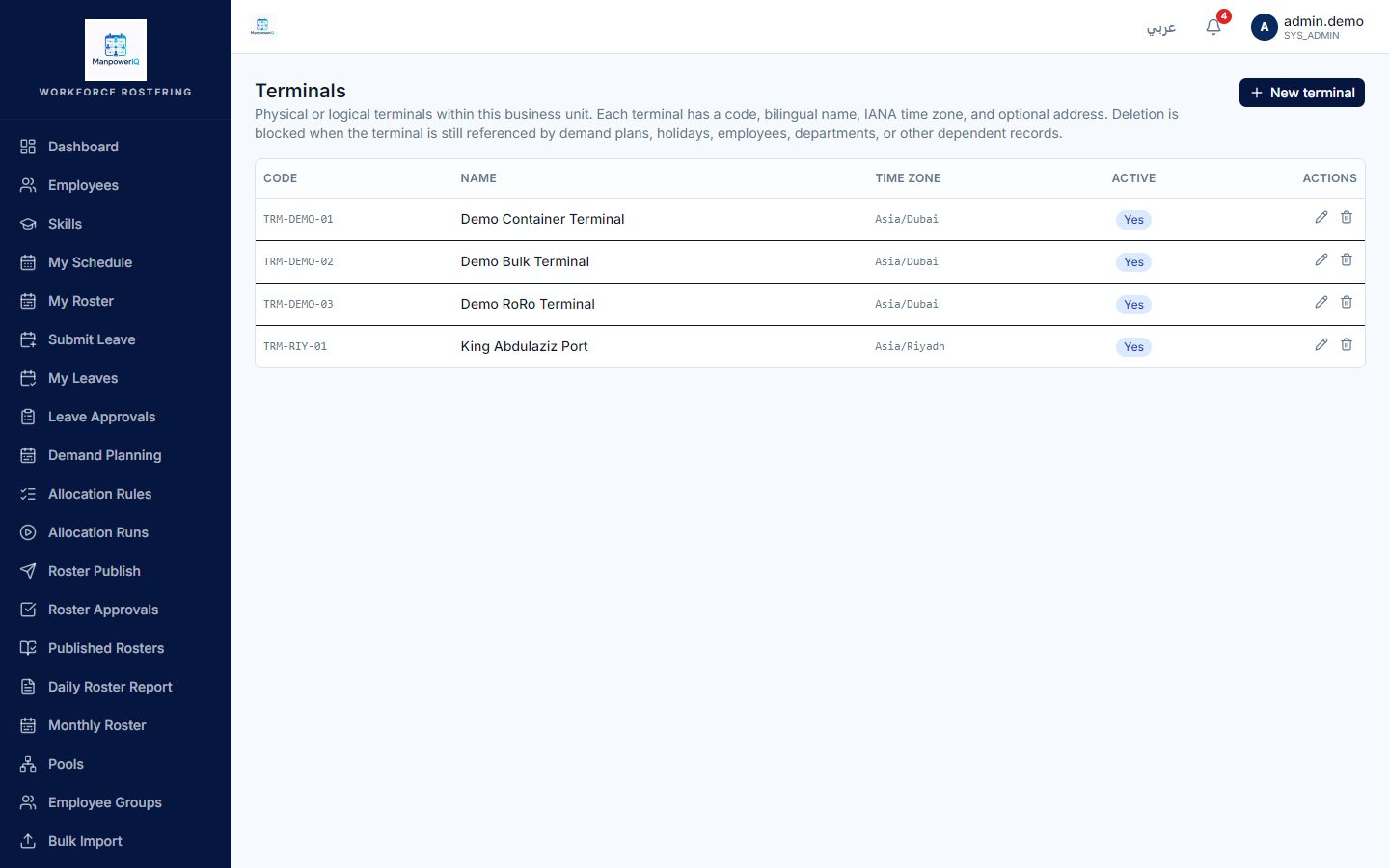
Not every level is editable in the product today. Terminals, node types, and pools have full admin screens (create, edit, delete). Departments and nodes are currently read-only — they exist as data you can browse and pick from, but there is no screen to create or edit them yet. The business unit at the top is created during provisioning.
Rules & what's enforced
- Strict hierarchy. A node lives in a department, a department in a terminal, a terminal in a business unit. Pools live in a department.
- You can't delete a parent that still has children. Deletes are "soft" (the record is retired, not erased) and are blocked while anything still references the record — for example, a terminal or pool that is still in use returns a conflict rather than deleting.
- Codes are unique per business unit.
- Names are bilingual (English/Arabic) on every named record.
What's live vs planned
- Live with full admin screens: Terminals, Node types, Pools.
- Read-only (no create/edit screen yet): Departments, Nodes — browse and pick only.
- Provisioned, not user-managed: the Business unit itself.
Do not assume Departments or Nodes can be created or edited in the app — they are read-only lookups today.
Related
- Business units & multi-tenancy — the root of this hierarchy.
- Employees & skills — the people who fill these nodes.
- Pools & cross-pooling — lending workers between pools.