Generate a roster (allocation run)
Goal
Run the allocation engine against a confirmed demand plan to produce a roster of selected candidates, and read the filled result — including how cross-pool borrowing fills shortages.
Who can do this
Planner or System Administrator — needs allocation_run.execute (and .write).
Before you start
- A Confirmed demand plan (see Create a demand plan).
- The rule set to use (usually ARS_DEFAULT).
Steps
- Open Allocation Runs (
/allocation-runs) and trigger a run against your demand plan + rule set. A run is created in Draft, then executed to Computed. - Open the run (
/allocation-runs/{id}). Each demand line shows its candidates split into Eligible and Selected — the engine ranks the eligible ones and marks the top head count as selected (✓). - Read the fill: a line showing e.g. 2/2 is fully filled.
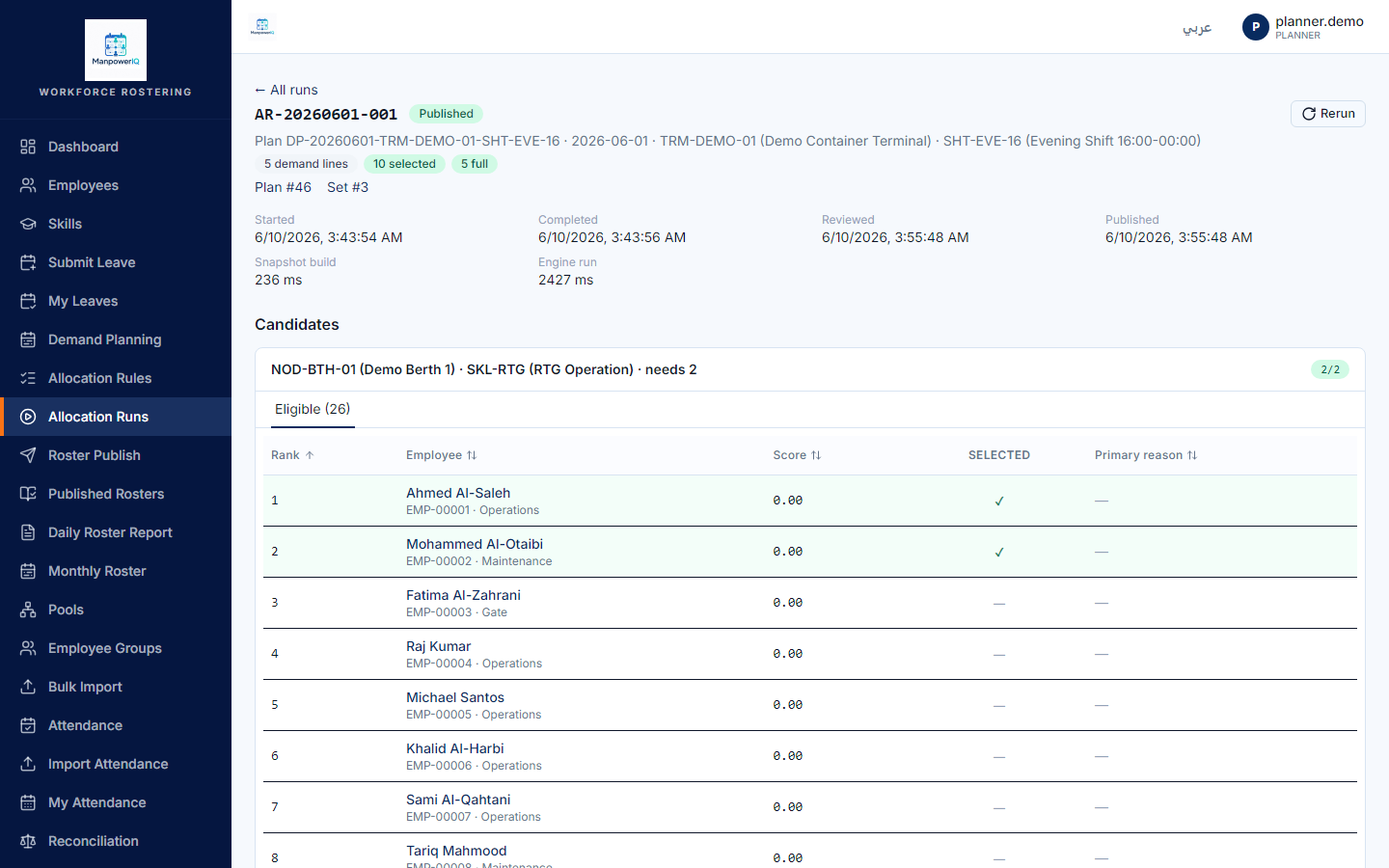
How cross-pool fills a shortage
If a line's own pool can't fill it, the engine can borrow from another pool — only when an admin has created a Pool-Lending Rule (System Administrator / HR Administrator / Manager, via /admin/pools/{id} → lending rules). When an effective, auto-approved lending rule exists, employees from the source pool appear as eligible for the target pool's demand.
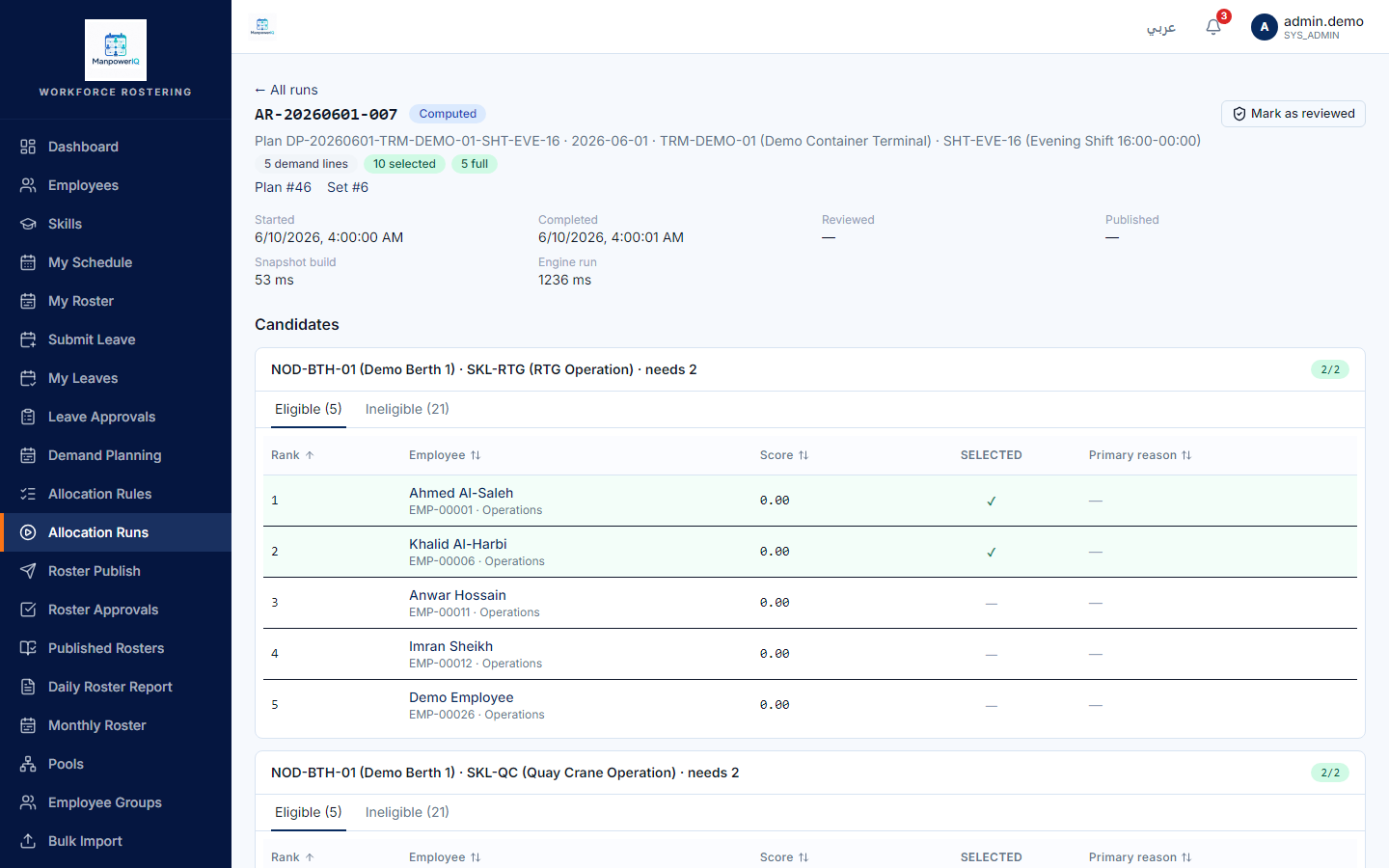
Caption caveat (F8): the screen shows the borrowed employees as eligible — it does not print the "lending rule effective…" justification text on the candidate card. The lending reason lives in the run/execution log, not the UI.
What the system does
A run evaluates every active employee against every demand line through the rule set, ranks the eligibles, and selects the top per line. A run does not publish and does not write shift assignments — that's a separate step. See Rosters & allocation runs.
What can block you
- State order is enforced: execute needs Draft, review needs Computed, lock needs Reviewed — out-of-order calls are refused (409).
- No manual roster editing. There is no drag-and-drop / swap-assignment editor in v1 — selection is the engine's deterministic ranking; to change the outcome you adjust demand/rules and rerun (which spawns a new run, never mutating the old one). Manual roster adjustment is planned, not built.
Troubleshooting
- A line isn't fully filled? That's the common real case. See Troubleshoot an unfilled run — note that seeing why candidates were excluded needs admin/debug access (finding F6).
- Cross-pool didn't help? A lending rule only fires if its target is the demand's owning pool and
RequiresApproval=falseand the date is in its effective window.