Configure allocation rules
Goal
View the rule sets the allocation engine uses, and (for editors) create or adjust a rule set's hard and soft rules.
Who can do this
- View: anyone with
allocation_rule.read— Planner, Manager, Supervisor, HR Administrator, Viewer, System Administrator. - Edit (create/change rule sets):
allocation_rule.write— System Administrator and HR Administrator only. (A Planner can run the engine but cannot edit rule sets.)
Before you start
- Understand the difference between hard rules (gate — disqualify a candidate) and soft rules (score 0–100). See Allocation rules.
Steps
- Open Allocation Rules (
/admin/allocation-rules). - Review the rule sets. The default set, ARS_DEFAULT (Standard Allocation), holds 7 hard + 7 soft = 14 rules — this is the set runs use unless another is chosen.
- To edit (admin/HR only): open a rule set and adjust its rules — severity, weight (soft only), priority order, parameters, and effective window.
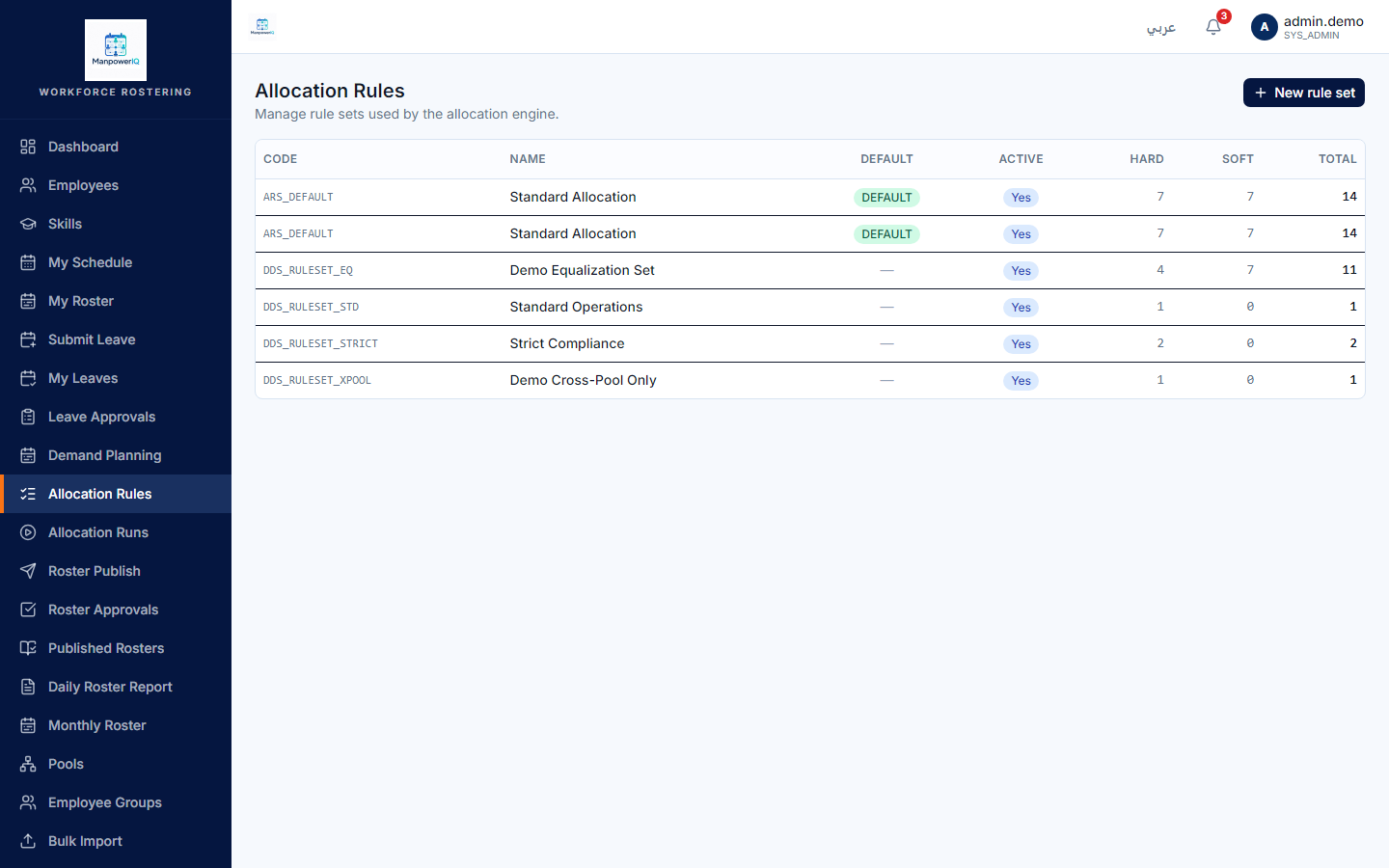
What the system does
Each business unit has exactly one default rule set. At run time the engine evaluates every candidate against the set: hard rules first (first failure short-circuits), then soft rules are blended into a weighted ranking score. All 7 hard and all 7 soft rules are live — not "cert-expiry only".
What can block you
- No edit access: if you only have
allocation_rule.read, the create/edit controls won't be available — that's by design. - The UI shows the outcome, not the full reasoning. Per-rule hard-fail reasons appear only in the admin/debug candidate view (finding F6); equalization tier labels (Below/At/Above) aren't shown on the candidate card at all (finding F8). See Rosters & allocation runs.