Employees & skills
What it is
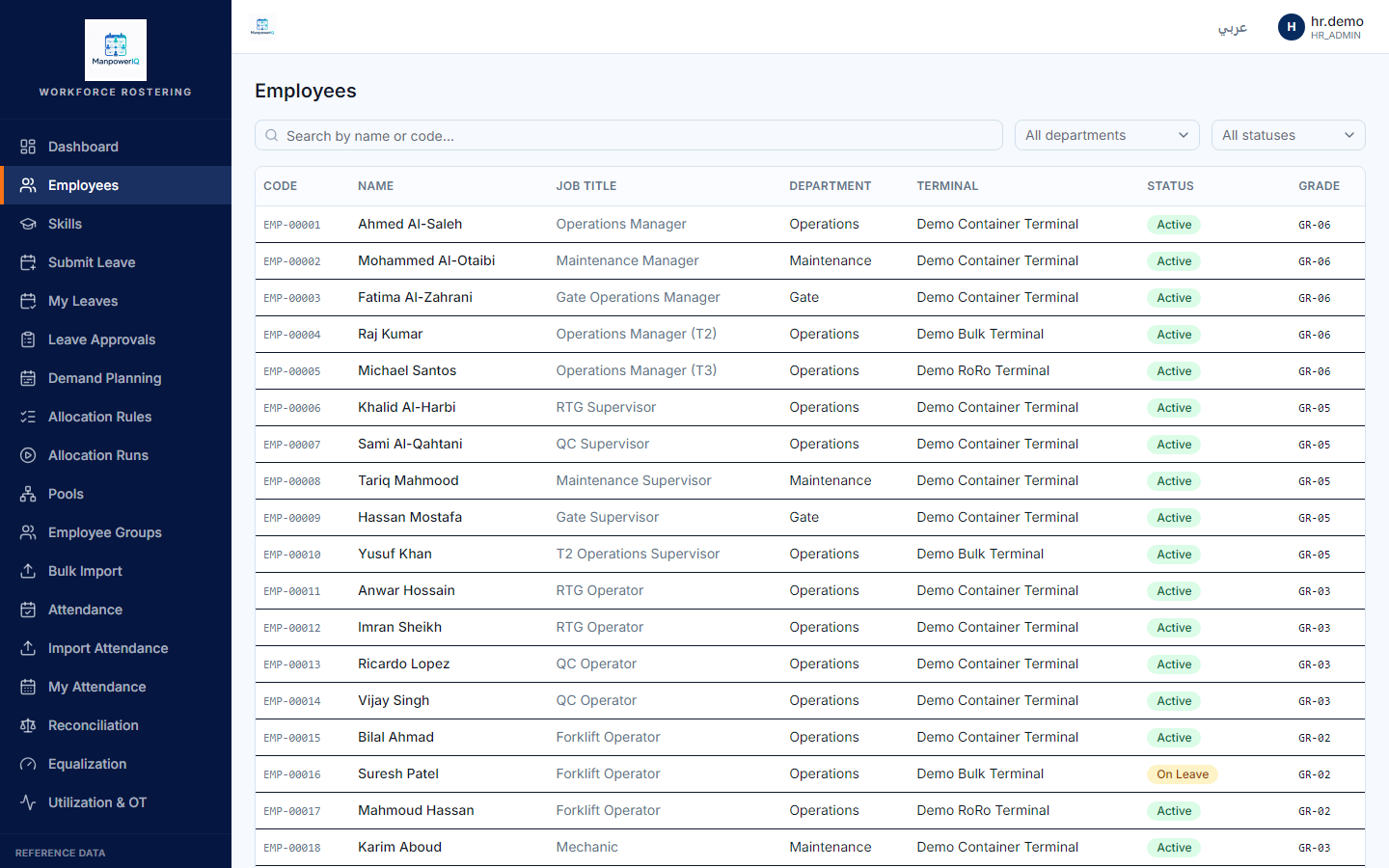
The employee record is the core profile for each worker — who they are, where they sit in the organisation, who manages them. The skill matrix records which skills each employee holds, and at what proficiency level. Together they tell the allocation engine who can do what.
Read this first: today there is no "add employee" screen and no screen to assign a skill to a person. Both happen through a bulk Excel import. The catalogs (skills, certifications) are editable in the app; the per-person records are loaded by import.
Why it exists
Allocation only works if the system knows each person's role, eligibility, and capabilities. Employees anchor every assignment; skills (with levels) let the engine prefer the right person for the right job and enforce qualification requirements.
Key concepts & terms
- Employee — a worker's profile: codes, names, employment type, grade, hire date, and links to a department, home terminal, and primary pool.
- Manager hierarchy — each employee can reference their manager (another employee), forming a reporting tree.
- Eligible terminals / nodes — where an employee may be assigned, each with an effective date window.
- Skill — a capability in a tenant catalog, with a base priority and an optional "requires certification" switch.
- Skill level — a proficiency on a shared 4-level scale (for example Trainee → Junior → Senior → Master). Note: a lower level-modifier means more skilled, so allocation can rank strongest-first.
- Skill matrix (employee skill) — the set of "this employee has this skill at this level, over this period" records.
- Bulk Excel import — the supported way to load employees, skills, and certifications.
How it works
Employees are tenant-scoped records, wired to the org hierarchy (department, home terminal, primary pool), to a manager (another employee), and optionally to a login account. There is no manual create/edit form in the product; the canonical way to load people is the bulk Excel import:
- Download a template (or export current data).
- Upload a filled
.xlsx. The system checks the file synchronously (type, size, expected sheets and headers). - A background job parses three sheets — employees, skills, certifications — and adds or updates the rows.
- Any rejected rows are recorded and can be downloaded as an Excel error report.
The skill matrix is the collection of employee-skill records, surfaced read-only — you can see which employees hold a skill, and which skills an employee holds, but you assign new ones through the import, not a screen. The skill catalog itself (the list of skills, their categories and levels) is editable in the app.
A skill can be marked as requiring a certification. That requirement is checked later, when someone is actually assigned to a shift — not when the skill is recorded. See Certifications.
Rules & what's enforced
- Import validation: files must be
.xlsx, at most 10 MB, with the expected sheets/headers; the file is processed in memory and not stored on disk. - Import permissions: running an import needs
imports.run; viewing all of a BU's import jobs needsimports.view_history. - Import job lifecycle: queued → running → completed (with or without row errors) or failed; a queued/running job can be cancelled by an administrator.
- Required employee fields include hire date, status, employment type, grade, department, home terminal, and primary pool; contact identifiers (email, mobile, national id) are optional.
- Skill levels are ordered so that "more skilled" sorts first for allocation.
What's live vs planned
- Live: viewing employees; the Excel import end-to-end (template, upload, validation, background processing, error report); the skill catalog admin screens; read-only skill-matrix views.
- Not built: an in-app create/edit employee screen, and an in-app assign-skill-to-employee action — both are import-only today.
Related
- Certifications — qualifications and expiry; the requirement a skill can demand.
- Terminals, departments & nodes — where employees sit and can be assigned.
- Shifts & calendars — where the certification requirement is actually enforced.